
一篇文章带你了解CSS 文本样式
点击上方“IT共享之家”,进行关注
回复“资料”可获赠Python学习福利
大家好,我是IT共享者,人称皮皮。这篇文章我们来讲讲CSS的文本样式。
一、文本颜色Color
颜色属性被用来设置文字的颜色。
颜色是通过CSS最经常的指定:
十六进制值 - 如"#FF0000"。
一个RGB值 - "RGB(255,0,0)"。
颜色的名称 - 如"红"。
一个网页的文本颜色是指在主体内的选择:
<html><head><meta charset="utf-8"><meta name="viewport" content="width=640, user-scalable=no"><title>项目</title><style>body {color: blue;}h1 {color: #00ff00;}h2 {color: rgb(255, 0, 0);}</style></head><body><h2>hello world</h2><h1>welcome to CaoZhou</h1></body></html>

注:对于W3C标准的CSS:如果你定义了颜色属性,你还必须定义背景色属性。
二、属性
1. text-align 文本的对齐方式
文本排列属性是用来设置文本的水平对齐方式。
文本可居中或对齐到左或右,两端对齐。
当text-align设置为"justify",每一行被展开为宽度相等,左,右外边距是对齐(如杂志和报纸)。
<html lang="en"><head><meta charset="UTF-8"><title>Document</title><style>h1 {text-align: center;}p.date {text-align: right;}p.main {text-align: justify;}</style></head><body><p class="date">2015 年 3 月 14 号</p><p class="main"> 从前有个书生,和未婚妻约好在某年某月某日结婚。到那一天,未婚妻却嫁给了别人。书生受此打击, 一病不起。 这时,路过一游方僧人,从怀里摸出一面镜子叫书生看。书生看到茫茫大海,一名遇害的女子一丝不挂地躺在海滩上。路过一人, 看一眼,摇摇头,走了。又路过一人,将衣服脱下,给女尸盖上,走了。再路过一人,过去,挖个坑,小心翼翼把尸体掩埋了。 僧人解释道, 那具海滩上的女尸,就是你未婚妻的前世。你是第二个路过的人,曾给过他一件衣服。她今生和你相恋,只为还你一个情。但是她最终要报答一生一世的人,是最后那个把她掩埋的人,那人就是他现在的丈夫。书生大悟,病愈。</p><p><b>注意:</b> 重置浏览器窗口大小查看 "justify" 是如何工作的。</p></body></html>

2. text-decoration文本修饰
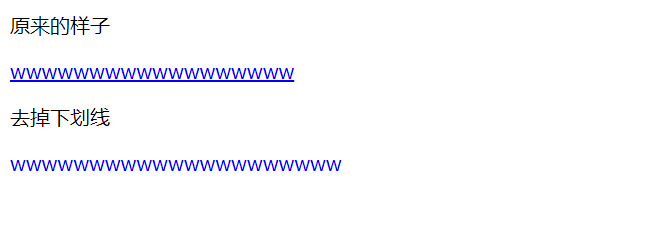
text-decoration 属性用来设置或删除文本的装饰。
从设计的角度看 text-decoration属性主要是用来删除链接的下划线:
<html lang="en"><head><meta charset="UTF-8"><title>Document</title><style>.none {}.del {text-decoration: none;}</style></head><body><p>原来的样子</p><a href="#" class="none">wwwwwwwwwwwwwwwwww</a><p>去掉下划线</p><a href="#" class="del">wwwwwwwwwwwwwwwwwwwww</a></body></html>
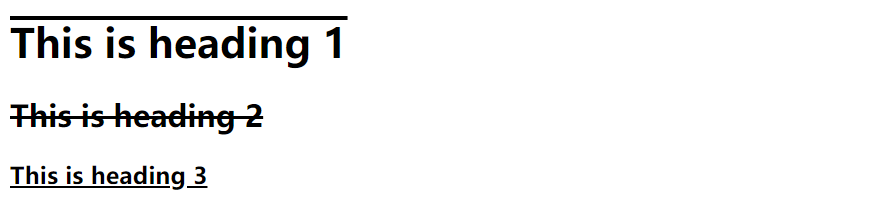
也可以这样装饰文字:
<html><head><meta charset="utf-8"><meta name="viewport" content="width=640, user-scalable=no"><title>项目</title><style>h1 {text-decoration: overline;}h2 {text-decoration: line-through;}h3 {text-decoration: underline;}</style></head><body><h1>This is heading 1</h1><h2>This is heading 2</h2><h3>This is heading 3</h3></body></html>
注:不建议强调指出不是链接的文本,因为这常常混淆用户。
3. text-transform文本转换
text-transform文本转换属性是用来指定在一个文本中的大写和小写字母。
uppercase:转换为全部大写。
lowercase:转换为全部小写。
capitalize :每个单词的首字母大写。
<html><head><meta charset="utf-8"><meta name="viewport" content="width=640, user-scalable=no"><title>项目</title><style>p.uppercase {text-transform: uppercase;}p.lowercase {text-transform: lowercase;}p.capitalize {text-transform: capitalize;}</style></head><body><p class="uppercase">This is some text.</p><p class="lowercase">This is some text.</p><p class="capitalize">This is some text.</p></body></html>

4. text-indent文本缩进
text-indent文本缩进属性是用来指定文本的第一行的缩进。
p {text-indent:50px;}5. letter-spacing 设置字符间距
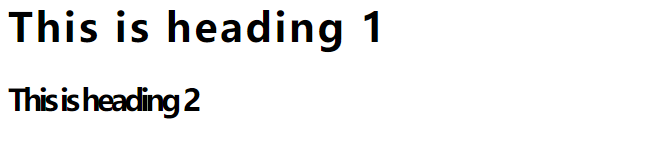
增加或减少字符之间的空间。
<style>h1 {letter-spacing:2px;}h2 {letter-spacing:-3px;}</style>
6. line-height设置行高
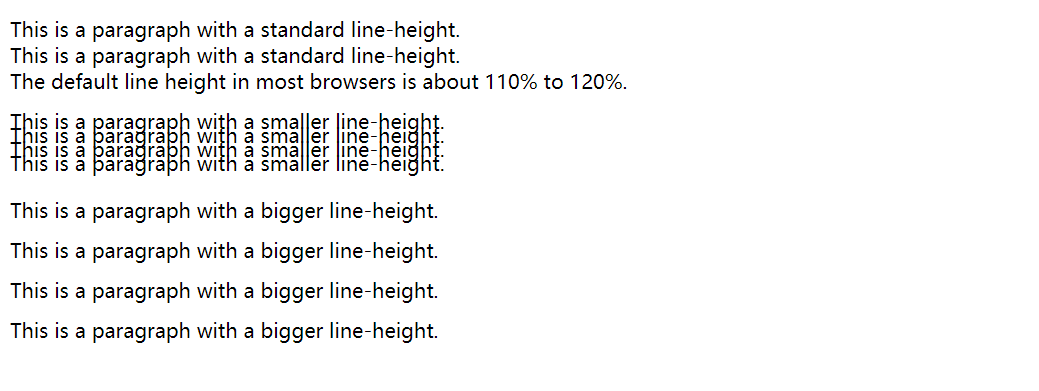
指定在一个段落中行之间的空间。
<html><head><meta charset="utf-8"><meta name="viewport" content="width=640, user-scalable=no"><title>项目</title><style>p.small {line-height: 70%;}p.big {line-height: 200%;}</style></head><body><p>This is a paragraph with a standard line-height.<br> This is a paragraph with a standard line-height.<br> The default line height in most browsers is about 110% to 120%.<br></p><p class="small">This is a paragraph with a smaller line-height.<br> This is a paragraph with a smaller line-height.<br> This is a paragraph with a smaller line-height.<br> This is a paragraph with a smaller line-height.<br></p><p class="big">This is a paragraph with a bigger line-height.<br> This is a paragraph with a bigger line-height.<br> This is a paragraph with a bigger line-height.<br> This is a paragraph with a bigger line-height.<br></p></body></html>
7. word-spacing 设置字间距
增加一个段落中的单词之间的空白空间。
<html><head><meta charset="utf-8"><meta name="viewport" content="width=640, user-scalable=no"><title>项目</title><style type="text/css">p {word-spacing: 30px;}</style></head><body><p>This is some text. This is some text.</p></body></html>

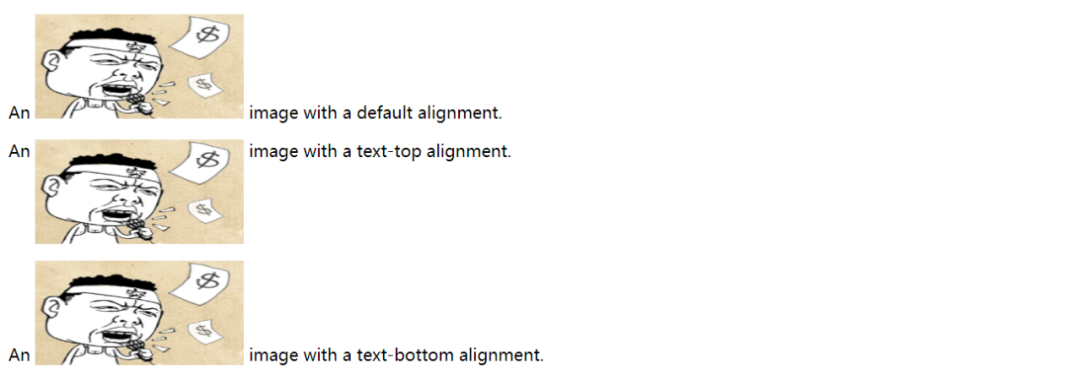
8. vertical-align 设置元垂直居中
设置文本的垂直对齐图像。
<html><head><meta charset="utf-8"><meta name="viewport" content="width=640, user-scalable=no"><title>项目</title><style>img{width: 200px;height: 100px;}img.top {vertical-align: text-top;}img.bottom {vertical-align: text-bottom;}</style></head><body><p>An <img src="img/logo.png" /> image with a default alignment.</p><p>An <img class="top" src="img/logo.png" /> image with a text-top alignment.</p><p>An <img class="bottom" src="img/logo.png" /> image with a text-bottom alignment.</p></body></html>
9. text-shadow 设置文本阴影
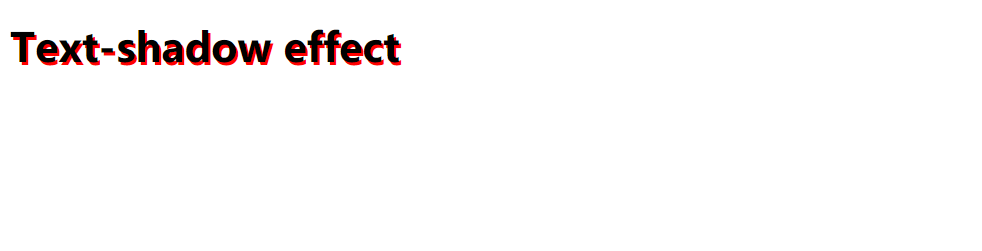
设置文本阴影。
<html><head><meta charset="utf-8"><meta name="viewport" content="width=640, user-scalable=no"><title>项目</title><style>h1{text-shadow: 2px 2px #FF0000;}</style></head><body><h1>Text-shadow effect</h1></body></html>
三、总结
本文主要介绍了CSS文本样式实际应用中应该如何去操作,通过讲解文本中对应的属性去改变文本的表现形式。使用丰富的效果图的展示,能够更直观的看到运行的效果,能够更好的理解。使用Html语言,代码结构更佳的清晰,能够帮助你更好的学习。
看完本文有收获?请转发分享给更多的人
IT共享之家
入群请在微信后台回复【入群】
------------------- End -------------------
往期精彩文章推荐: