
JQuery如何阻止事件冒泡

<style>#content{width: 140px;border: 1px solid blue;}#msg{width: 100px;height: 100px;margin: 20px;border: 1px solid red;}</style>
<body><div id="content">外层div<div id="msg">内层div</div></div></body>
显示结果
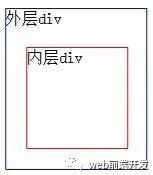
对应的jQuery代码如下:
<script type="text/JavaScript" src="js/jquery-1.8.3.js"></script><script type="text/JavaScript">$(function(){// 为内层div绑定click事件$("#msg").click(function(){alert("我是小div");});// 为外层div元素绑定click事件$("#content").click(function(){alert("我是大div");});// 为body元素绑定click事件$("body").click(function(){alert("我是body");});});</script>
当点击小div时,会触发大div与body 的点击事件。点击大div时会触发body的点击事件。
如何防止这种冒泡事件发生呢?
修改如下:
<script type="text/javascript" src="js/jquery-1.8.3.js"></script><script type="text/javascript">$(function(){// 为内层div绑定click事件$("#msg").click(function(event){alert("我是小div");event.stopPropagation(); // 阻止事件冒泡});// 为外层div元素绑定click事件$("#content").click(function(event){alert("我是大div");event.stopPropagation(); // 阻止事件冒泡});// 为body元素绑定click事件$("body").click(function(event){alert("我是body");event.stopPropagation(); // 阻止事件冒泡});});
event.stopPropagation(); // 阻止事件冒泡
有时候点击提交按钮会有一些默认事件。比如跳转到别的界面。但是如果没有通过验证的话,就不应该跳转。这时候可以通过设置event.preventDefault(); //阻止默认行为 ( 表单提交 )。
html部分
<body><form action="test.html">用户名:<input type="text" id="username" /><br/><input type="submit" value="提交" id="sub"/></form></body>
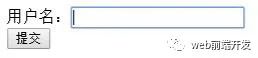
<script type="text/javascript" src="js/jquery-1.8.3.js"></script><script type="text/javascript">$(function(){$("#sub").click(function(event){//获取元素的值,val() 方法返回或设置被选元素的值。var username = $("#username").val();//判断值是否为空if(username==""){//提示信息//alert("文本框的值不能为空");$("#msg").html("<p>文本框的值不能为空.</p>");//阻止默认行为 ( 表单提交 )event.preventDefault();}});});</script>
//阻止默认行为 ( 表单提交 )event.preventDefault();
还有一种防止默认行为的方法就是return false。效果一样。
代码如下:
<script type="text/javascript" src="js/jquery-1.8.3.js"></script><script type="text/javascript">$(function(){$("#sub").click(function(event){//获取元素的值,val() 方法返回或设置被选元素的值。var username = $("#username").val();//判断值是否为空if(username==""){//提示信息//alert("文本框的值不能为空");$("#msg").html("<p>文本框的值不能为空.</p>");//阻止默认行为 ( 表单提交 )//event.preventDefault();return false;}});});</script>
同理,上面的冒泡事件也可以通过return false来处理
<script type="text/javascript" src="js/jquery-1.8.3.js"></script><script type="text/javascript">$(function(){// 为内层div绑定click事件$("#msg").click(function(event){alert("我是小div");//event.stopPropagation(); // 阻止事件冒泡return false;});// 为外层div元素绑定click事件$("#content").click(function(event){alert("我是大div");//event.stopPropagation(); // 阻止事件冒泡return false;});// 为body元素绑定click事件$("body").click(function(event){alert("我是body");//event.stopPropagation(); // 阻止事件冒泡return false;});});
本文完〜

评论