
自学HarmonyOS应用开发(57)- 与Service进行交互

生成一个Service之后,就需要构建一个Connection对象并通过它实现PageAbility和ServiceAbility之间的交互。
构建自己的Connection类
StopWatchServiceConnection类的主要功能有两个:一是接受连接成功通知并获取服务端传过来的用于通信的IRemoteObject对象,这是onAbilityConnectDone方法的主要工作;二是接收连接成功切断时的通知。
public class StopWatchServiceConnection implements IAbilityConnection {static final HiLogLabel LOG_LABEL = new HiLogLabel(HiLog.LOG_APP, 0x00211, "StopWatchServiceConnection");public static final int EVENT_CONNECT_DONE = 0x1000001;public static final int EVENT_DISCONNECT_DONE = 0x1000002;/*** handle message from service to ability slice*/private static EventHandler handler = new EventHandler(EventRunner.current()) {protected void processEvent(InnerEvent event) {switch(event.eventId){case EVENT_CONNECT_DONE:break;case EVENT_DISCONNECT_DONE:break;}}};public void onAbilityConnectDone(ElementName elementName, IRemoteObject iRemoteObject, int resultCode) {HiLog.info(LOG_LABEL, "%{public}s", "onAbilityConnectDone resultCode : " + resultCode);InnerEvent innerEvent = InnerEvent.get(EVENT_CONNECT_DONE, resultCode, new StopWatchAgentProxy(iRemoteObject));handler.sendEvent(innerEvent);}public void onAbilityDisconnectDone(ElementName elementName, int resultCode) {HiLog.info(LOG_LABEL, "%{public}s", "onAbilityDisconnectDone resultCode : " + resultCode);InnerEvent innerEvent = InnerEvent.get(EVENT_DISCONNECT_DONE, resultCode);handler.sendEvent(innerEvent);}}
需要说明的是:由于onAbilityConnectDone和onAbilityDisconnectDone不是UI线程上下文中被调用,因此必须通过一个EventHandler进行上下文切换之后才能安全地在UI线程中使用。
使用Connection类
StopWatchServiceConnection构建完成之后,就可以使用它在PageAbility和ServiceAbility之间建立沟通渠道。
private void connectService() {HiLog.info(LOG_LABEL, "MainAbilitySlice.connectService!");Intent intent = getLocalServiceIntent(LOCAL_BUNDLE, FOREGROUND_SERVICE);connection = new StopWatchServiceConnection();connectAbility(intent, connection);}private Intent getLocalServiceIntent(String bundleName, String serviceName) {Operation operation = new Intent.OperationBuilder().withDeviceId("").withBundleName(bundleName).withAbilityName(serviceName).build();Intent intent = new Intent();intent.setOperation(operation);return intent;}
代码第4行用到了前面构建的StopWatchServiceConnection类。
通过IRemoteObject调用Service Ability的功能
IRemoteObject作为HarmonyOS中的基础类,只提供线程通信的基本功能,开发者还需要另外定义和实现业务领域的接口。
我们使用HarmonyOS IDL定义如下接口:
interface xwg.harmony.stopwatch.StopWatchAgent {/** Example of a service method that uses some parameters*/void setCurrentTab([in] int index);int getCurrentTab();boolean start();void stop();boolean isRunning();long getStartTime();long getTime();void resetTime();void recordTime();String[] getLapTimes();void registerLocationEvent();double[] getCurrentLocation();}
我们将这个文件加入到项目中,启动编译过程之后,DevEco Studio会自动生成三个用于线程通信的辅助类。
第一个是接口定义文件:
public interface StopWatchAgent extends IRemoteBroker {void setCurrentTab(/* [in] */ int index) throws RemoteException;int getCurrentTab() throws RemoteException;};
可以看到这个文件就是IDL文件的java语言实现。
第二个文件是用来将用户请求进行封装后调用IRemoteObject的功能进行线程或进程通信的StopWatchAgentProxy类。
public class StopWatchAgentProxy implements StopWatchAgent {public StopWatchAgentProxy(/* [in] */ IRemoteObject remote) {this.remote = remote;}public IRemoteObject asObject() {return remote;}public void setCurrentTab(/* [in] */ int index) throws RemoteException {MessageParcel data = MessageParcel.obtain();MessageParcel reply = MessageParcel.obtain();MessageOption option = new MessageOption(MessageOption.TF_SYNC);data.writeInterfaceToken(DESCRIPTOR);data.writeInt(index);try {remote.sendRequest(COMMAND_SET_CURRENT_TAB, data, reply, option);reply.readException();} finally {data.reclaim();reply.reclaim();}}public int getCurrentTab() throws RemoteException {MessageParcel data = MessageParcel.obtain();MessageParcel reply = MessageParcel.obtain();MessageOption option = new MessageOption(MessageOption.TF_SYNC);data.writeInterfaceToken(DESCRIPTOR);try {remote.sendRequest(COMMAND_GET_CURRENT_TAB, data, reply, option);reply.readException();int result = reply.readInt();return result;} finally {data.reclaim();reply.reclaim();}}};
代码比较长,但每个接口的套路都一样。有了使用StopWatchAgentProxy,PageAbility就可以直接调用ServiceAbility的功能,而不需要关心这些功能是在其他线程还是其他设备。
最后是一个用于帮助ServiceAbility实现接口的StopWatchAgengStub类:
public abstract class StopWatchAgentStub extends RemoteObject implements StopWatchAgent {...public StopWatchAgentStub(/* [in] */ String descriptor) {super(descriptor);}public IRemoteObject asObject() {return this;}public static StopWatchAgent asInterface(IRemoteObject object) {if (object == null) {return null;}StopWatchAgent result = null;IRemoteBroker broker = object.queryLocalInterface(DESCRIPTOR);if (broker != null) {if (broker instanceof StopWatchAgent) {result = (StopWatchAgent)broker;}} else {result = new StopWatchAgentProxy(object);}return result;}public boolean onRemoteRequest(/* [in] */ int code,/* [in] */ MessageParcel data,/* [out] */ MessageParcel reply,/* [in] */ MessageOption option) throws RemoteException {String token = data.readInterfaceToken();if (!DESCRIPTOR.equals(token)) {return false;}switch (code) {case COMMAND_SET_CURRENT_TAB: {int index = data.readInt();setCurrentTab(index);reply.writeNoException();return true;}case COMMAND_GET_CURRENT_TAB: {int result;result = getCurrentTab();reply.writeNoException();reply.writeInt(result);return true;}default:return super.onRemoteRequest(code, data, reply, option);}}};
有了StopWatchAgengStub类,ServiceAbility类可以直接实现所需功能而无需关心线程/进程通信的各种细节:
StopWatchAgentStub remoteAgentStub = new StopWatchAgentStub(DESCRIPTOR) {public void setCurrentTab(int index) throws RemoteException {current_tab = index;}public int getCurrentTab() throws RemoteException {return current_tab;}...};
参考代码
完整代码可以从以下链接下载:
https://github.com/xueweiguo/Harmony/tree/master/StopWatch
参考资料:
接口描述语言简介
https://developer.harmonyos.com/cn/docs/documentation/doc-references/idl-overview-0000001050762835
作者著作介绍
《实战Python设计模式》是作者去年3月份出版的技术书籍,该书利用Python 的标准GUI 工具包tkinter,通过可执行的示例对23 个设计模式逐个进行说明。这样一方面可以使读者了解真实的软件开发工作中每个设计模式的运用场景和想要解决的问题;另一方面通过对这些问题的解决过程进行说明,让读者明白在编写代码时如何判断使用设计模式的利弊,并合理运用设计模式。
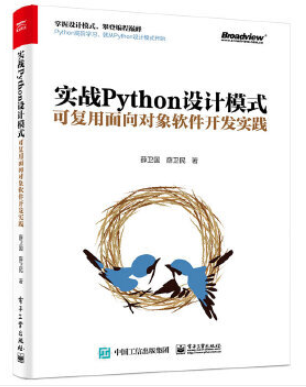
对设计模式感兴趣而且希望随学随用的读者通过本书可以快速跨越从理解到运用的门槛;希望学习Python GUI 编程的读者可以将本书中的示例作为设计和开发的参考;使用Python 语言进行图像分析、数据处理工作的读者可以直接以本书中的示例为基础,迅速构建自己的系统架构。
觉得本文有帮助?请分享给更多人。
关注微信公众号【面向对象思考】轻松学习每一天!
面向对象开发,面向对象思考!