
「免费开源」基于Vue和Quasar的前端SPA项目crudapi后台管理系统实战之自定义组件(四)
基于Vue和Quasar的前端SPA项目实战之序列号(四)
回顾
通过上一篇文章 基于Vue和Quasar的前端SPA项目实战之布局菜单(三)的介绍,我们已经完成了布局菜单,本文主要介绍序列号功能的实现。
简介
MySQL数据库没有单独的Sequence,只支持自增长(increment)主键,但是不能设置步长、开始索引、格式等,最重要的是一张表只能由一个字段使用自增,但有的时候我们需要多个字段实现序列号功能或者需要支持复杂格式,MySQL本身是实现不了的,所以crudapi封装了复杂序列号,支持字符串和数字,自定义格式,也可以设置为时间戳。可以用于产品编码、订单流水号等场景!
UI界面
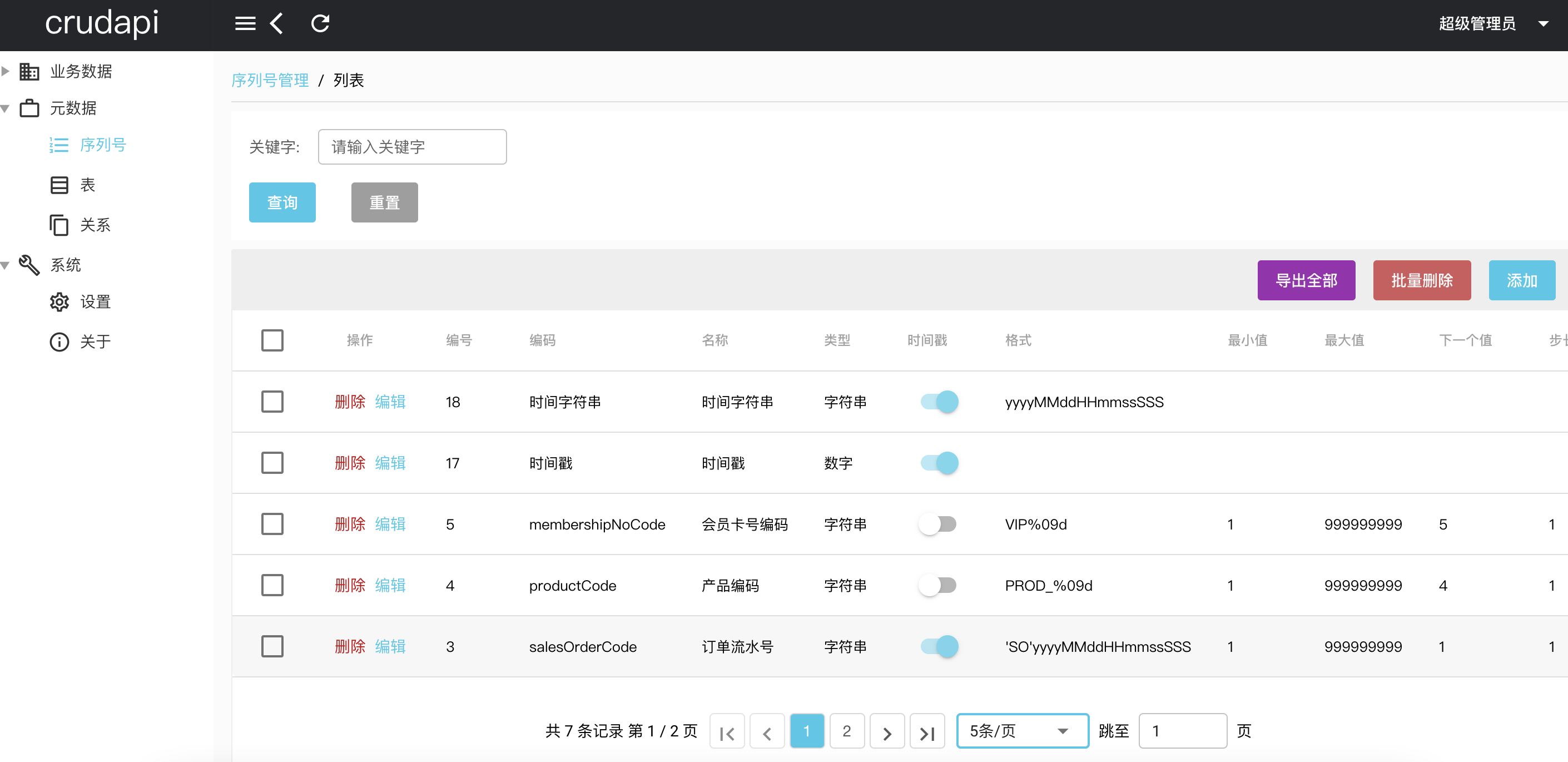 序列号列表
序列号列表
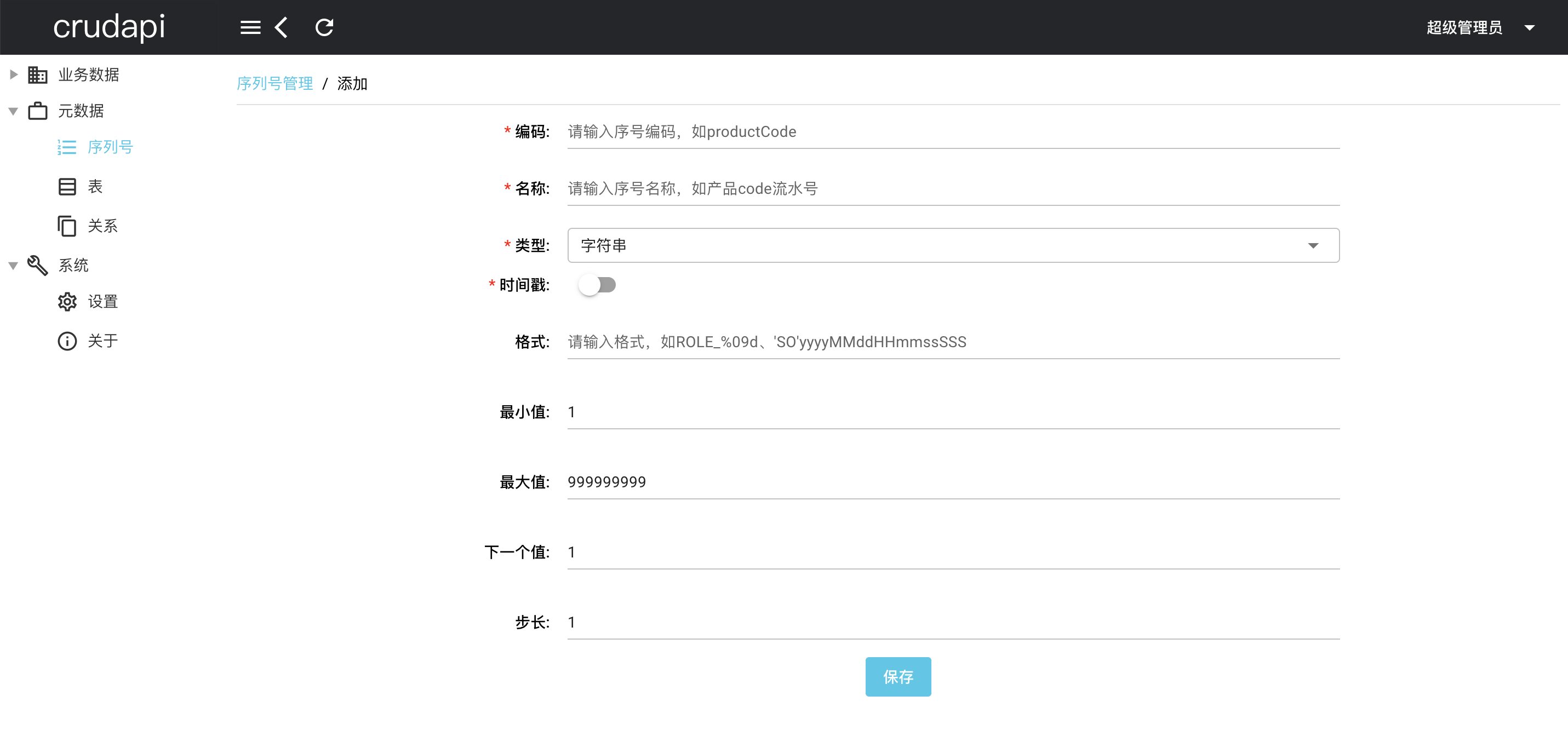 创建序列号
创建序列号
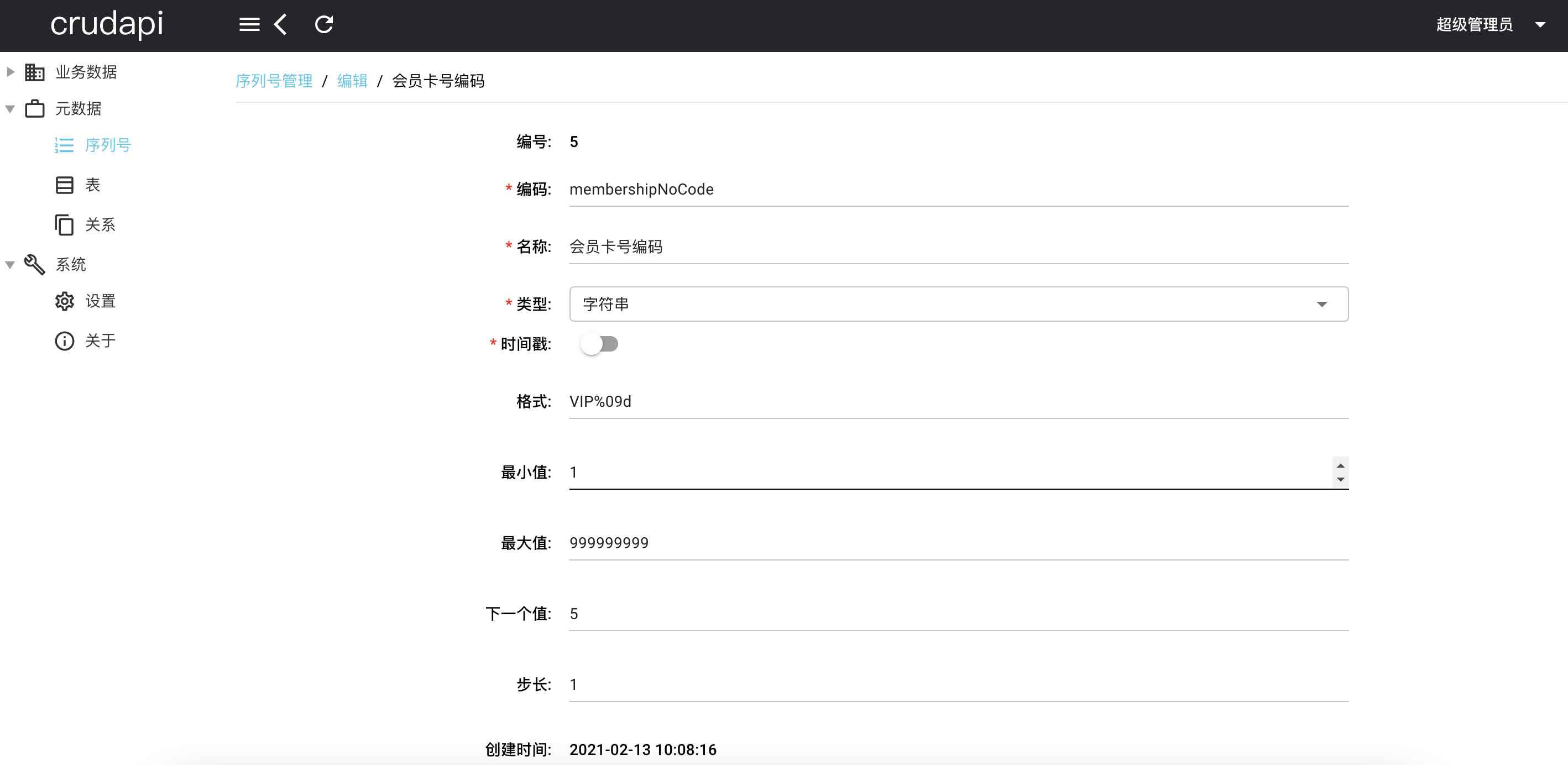 编辑序列号
编辑序列号
API
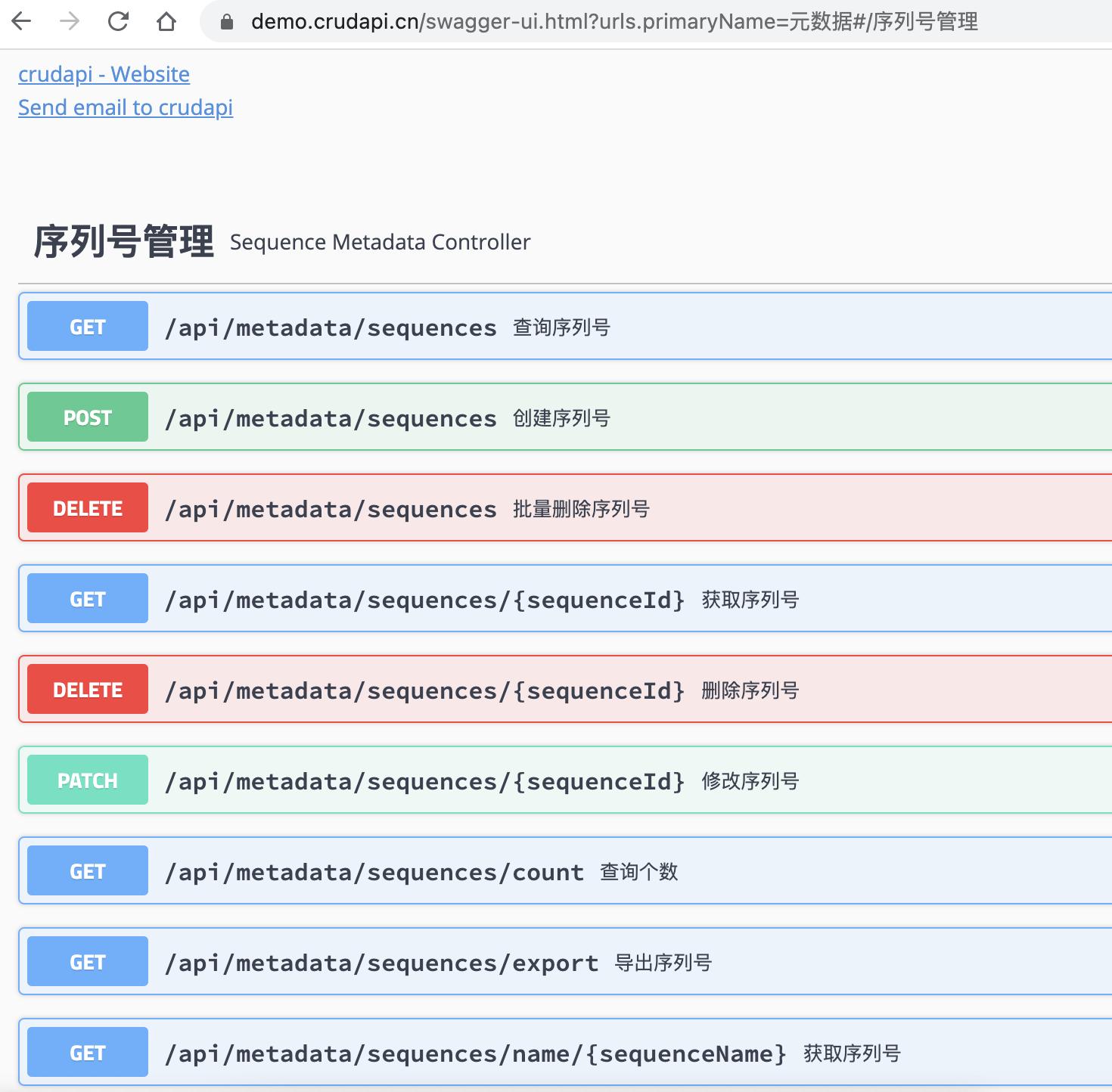 序列号API包括基本的CRUD操作,具体的通过swagger文档可以查看。通过axios封装api,名称为metadataSequence
import { axiosInstance } from "boot/axios";


const metadataSequence = {

  create: function(data) {

    return axiosInstance.post("/api/metadata/sequences",

       data

    );

  },

  update: function(id, data) {

    return axiosInstance.patch("/api/metadata/sequences/" + id,

       data

    );

  },

  list: function(page, rowsPerPage, search, query) {

    if (!page) {

      page = 1

    }


    if (!rowsPerPage) {

      rowsPerPage = 10

    }


    return axiosInstance.get("/api/metadata/sequences",

      {

        params: {

          offset: (page - 1) * rowsPerPage,

          limit: rowsPerPage,

          search: search,

          ...query

        }

      }

    );

  },

  count: function(search, query) {

    return axiosInstance.get("/api/metadata/sequences/count",

      {

        params: {

          search: search,

          ...query

        }

      }

    );

  },

  get: function(id) {

    return axiosInstance.get("/api/metadata/sequences/" + id,

      {

        params: {

        }

      }

    );

  },

  delete: function(id) {

    return axiosInstance.delete("/api/metadata/sequences/" + id);

  },

  batchDelete: function(ids) {

    return axiosInstance.delete("/api/metadata/sequences",

      {data: ids}

    );

  }

};


export { metadataSequence };
增删改查
通过列表页面,新建页面和编辑页面实现了序列号基本的crud操作,其中新建和编辑页面类似,普通的表单提交,这里就不详细介介绍了,直接查看代码即可。对于列表查询页面,用到了自定义组件,这里重点介绍了一下自定义组件相关知识。
自定义component
序列号列表页面中用到了分页控件,因为其它列表页面也会用到,所以适合封装成component, 名称为CPage。主要功能包括:设置每页的条目个数,切换分页,统一样式等。
核心代码
首先在components目录下创建文件夹CPage,然后创建CPage.vue和index.js文件。
CPage/CPage.vue
用到了q-pagination控件
 <q-pagination

  unelevated

  v-model="pagination.page"

  :max="Math.ceil(pagination.count / pagination.rowsPerPage)"

  :max-pages="10"

  :direction-links="true"

  :ellipses="false"

  :boundary-numbers="true"

  :boundary-links="true"

  @input="onRequestAction"

>

</q-pagination>
#
CPage/index.js
实现install方法
import CPage from "./CPage.vue";


const cPage = {

  install: function(Vue) {

    Vue.component("CPage", CPage);

  }

};


export default cPage;
CPage使用
全局配置
首先,创建boot/cpage.js文件
import cPage from "../components/CPage";


export default async ({ Vue }) => {

  Vue.use(cPage);

};
然后,在quasar.conf.js里面boot节点添加cpage,这样Quasar就会自动加载cpage。
 boot: [


    'i18n',

    'axios',

    'cpage'

  ]
应用
在序列号列表中通过标签CPage使用
<CPage v-model="pagination" @input="onRequestAction"></CPage>
当切换分页的时候,通过@input回调,传递当前页数和每页个数给父页面,然后通过API获取对应的序列号列表。
小结
本文主要介绍了元数据中序列号功能,用到了q-pagination分页控件,并且封装成自定义组件cpage, 然后实现了序列号的crud增删改查功能,下一章会介绍元数据中表定义功能。
demo演示
官网地址:https://crudapi.cn(opens new window)
测试地址:https://demo.crudapi.cn/crudapi/login(opens new window)
附源码地址
GitHub地址
https://github.com/crudapi/crudapi-admin-web(opens new window)
Gitee地址
https://gitee.com/crudapi/crudapi-admin-web(opens new window)
由于网络原因,GitHub可能速度慢,改成访问Gitee即可,代码同步更新。